
 Mergers and acquisitions (M&A) are the different ways companies are combined. Entire companies or their major business assets are consolidated through financial transactions between two or more companies.
Key Points
Mergers and acquisitions (M&A) refers to the ways businesses, or their assets, are consolidated or combined.
In an acquisition, one company purchases another outright.
A merger is the combination of two firms, which subsequently form a new legal entity under the banner of one corporate name.
Mergers and acquisitions require the valuation of a company or its assets to decide how much to pay for those assets.
M&A can be financed through a combination of debt, cash, and stock.
Read more from the [Source of Information]
Vikram Sarabhai Library,
Indian Institute of Management Ahmedabad,
Sargam Marg, Vastrapur,
Ahmedabad, Gujarat - 380015
Email: reference@iima.ac.in
Phone: +91-79-7152-4984/90/79/77


SDC Platinum, now accessible as an add-on within Workspace, offers the dealmaking community 25+ years of the most comprehensive and unrivalled data in the industry, with deal information on everything from M&A to private equity to project finance. Access options: SDC Platinum, now accessible as an add-on within Workspace, offers the dealmaking community 25+ years of the most comprehensive and unrivalled data in the industry, with deal information on everything from M&A to private equity to project finance.
- Access options: Terminal-based restricted access (inside the library only) | Guide:

You can launch the SDC Platinum application from the LSEG Workspace platform or from the Refinitiv Excel Add-In toolbar. The application itself is identical using either method.
LSEG Workspace
- LSEG Workspace
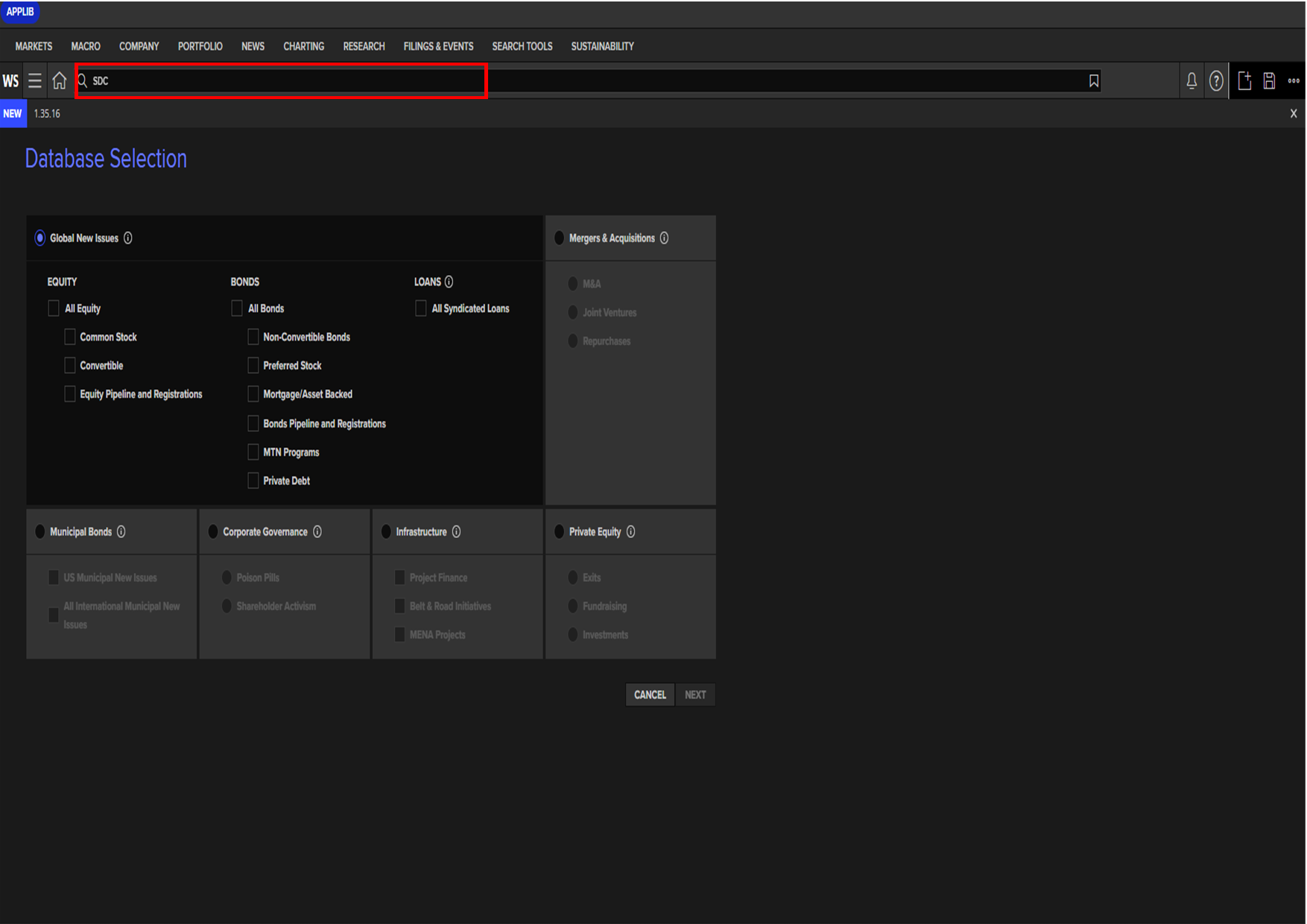
- Enter SDC into the Search box at the top of the screen and select the SDC Platinum application from the results list.
LSEG Workspace Excel Add-IN
- Connect to the LSEG Workspace Excel Add-In- see LSEG Workspace Excel Add-In access help
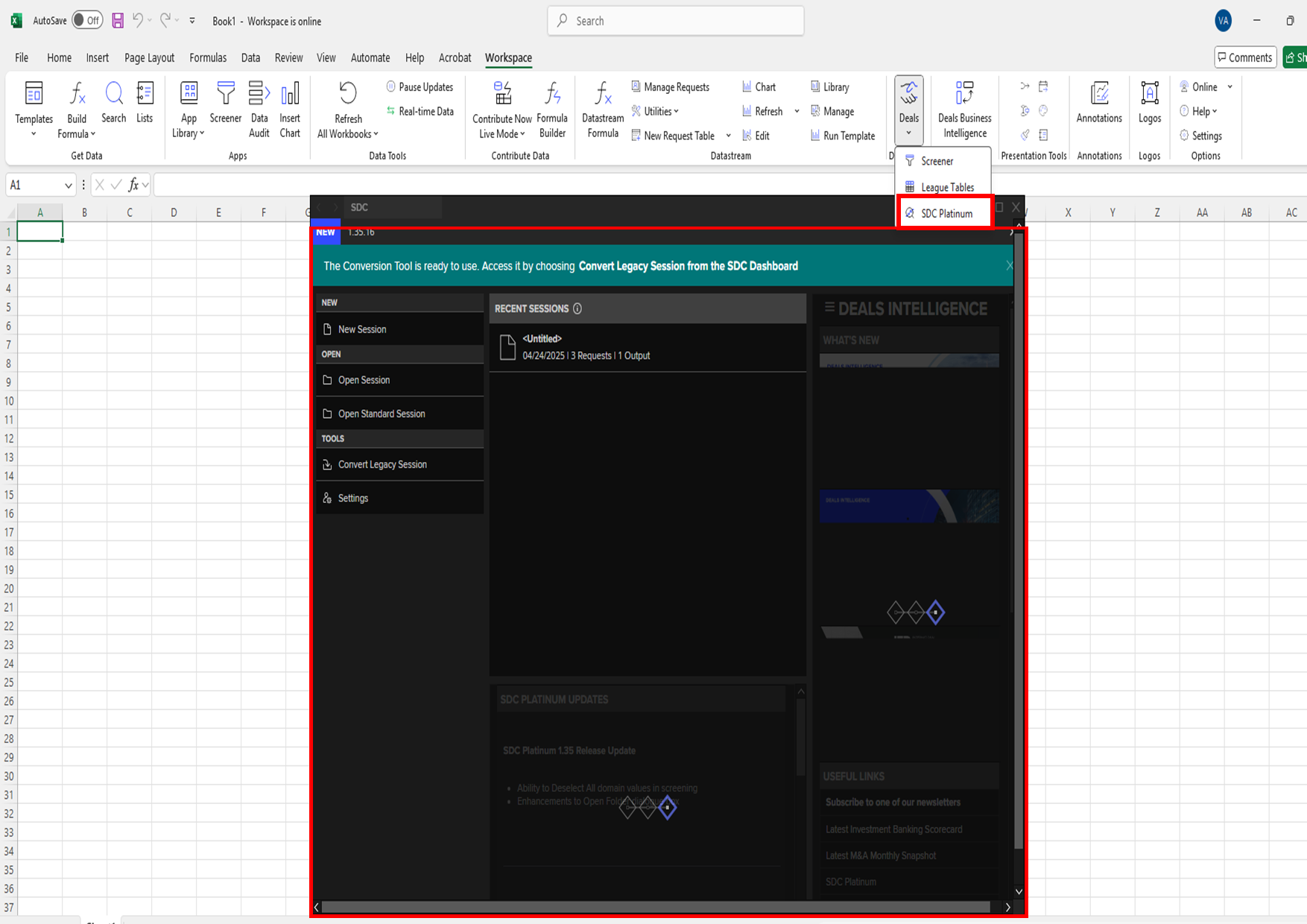
- Select the SDC Platinum from the Refinitive tab. the app will launch in a new pop-out window.
Step 2: Select the Database and Dates
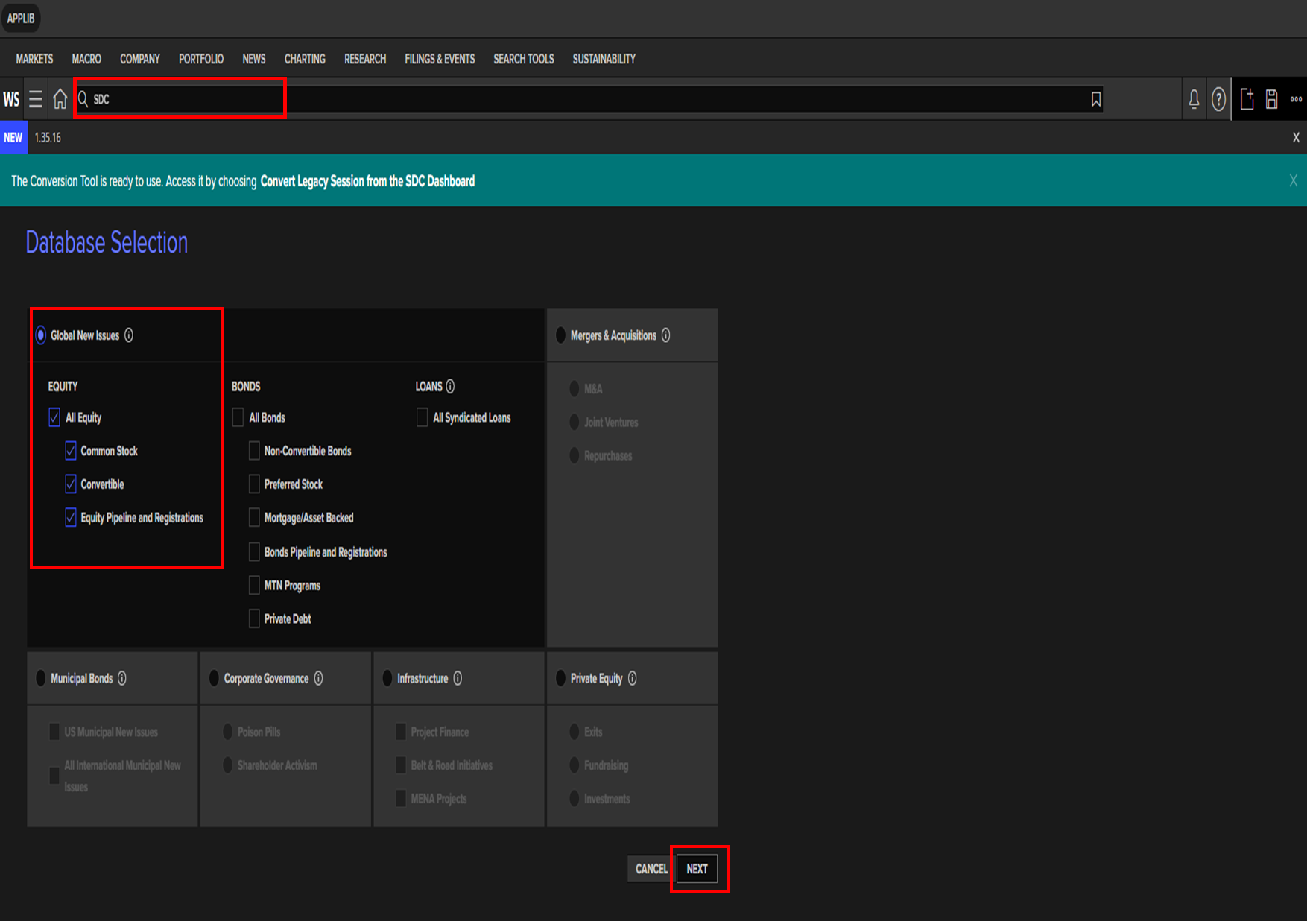
To start a new search, select New Session in the left navigation panel.
Select the database and one of its modules; for example, Global New Issues Databases > All Equities.
Click Next.
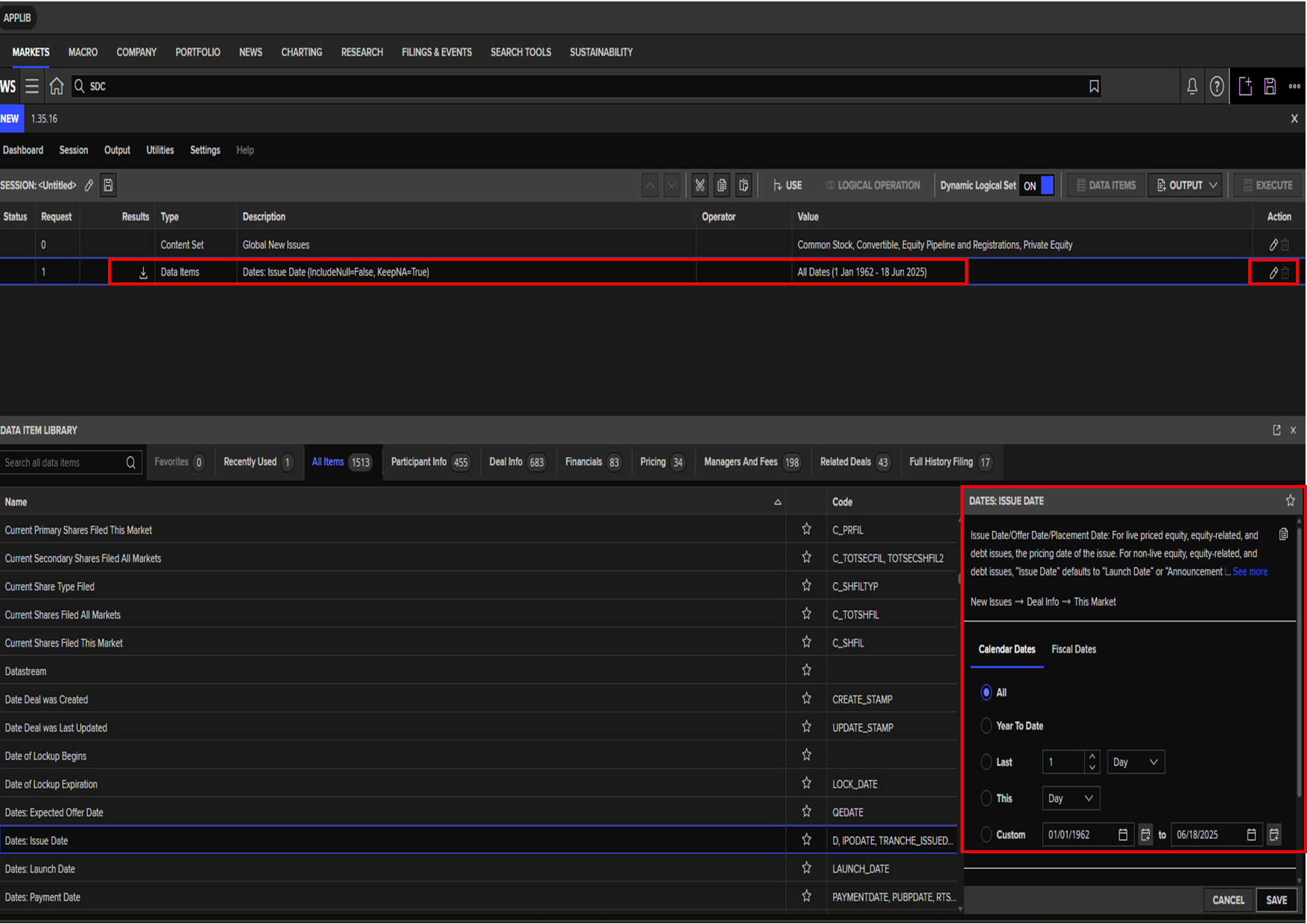
Select dates in the top section of the screen. The default date range is All Dates.
To choose a different date range, click on the "pencil" (edit) icon in the Action column. In the Dates box in the information pane (bottom right corner of the window) choose a date parameter.
Click Save.
Step 3: Create the Universe
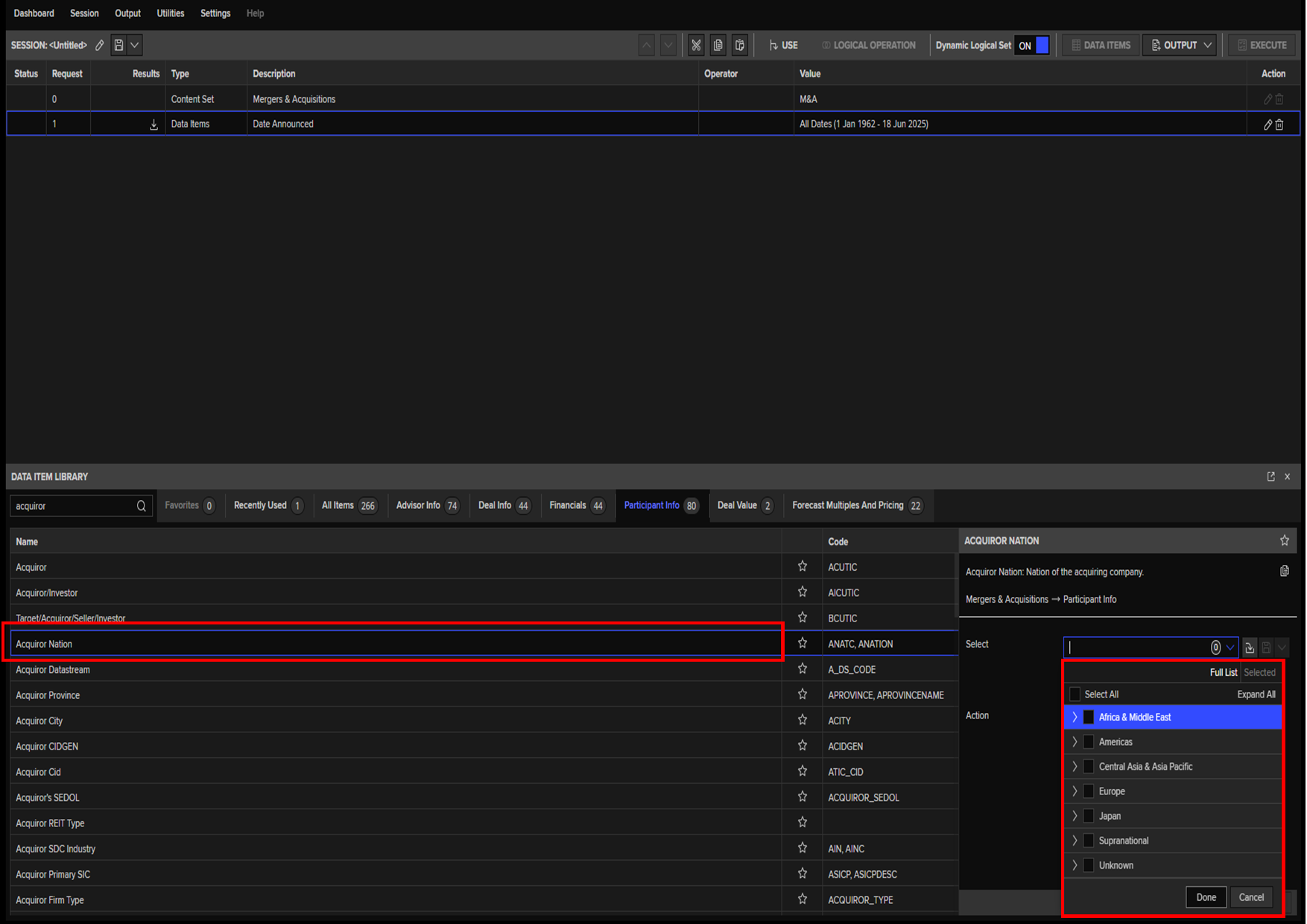
You will add your screening variables (e.g. all IPO deals in a specific country and industry) using the Data Item Library.
In the Data Items Library portion of the page, either browse the different variable category tabs or highlight the All Items tab and use the Search box to find screening criteria by keyword.
Customise the data item in the information pane on the right. Different data types may require multiple customisations before you can add them to your screen.
Click Add after each selection.
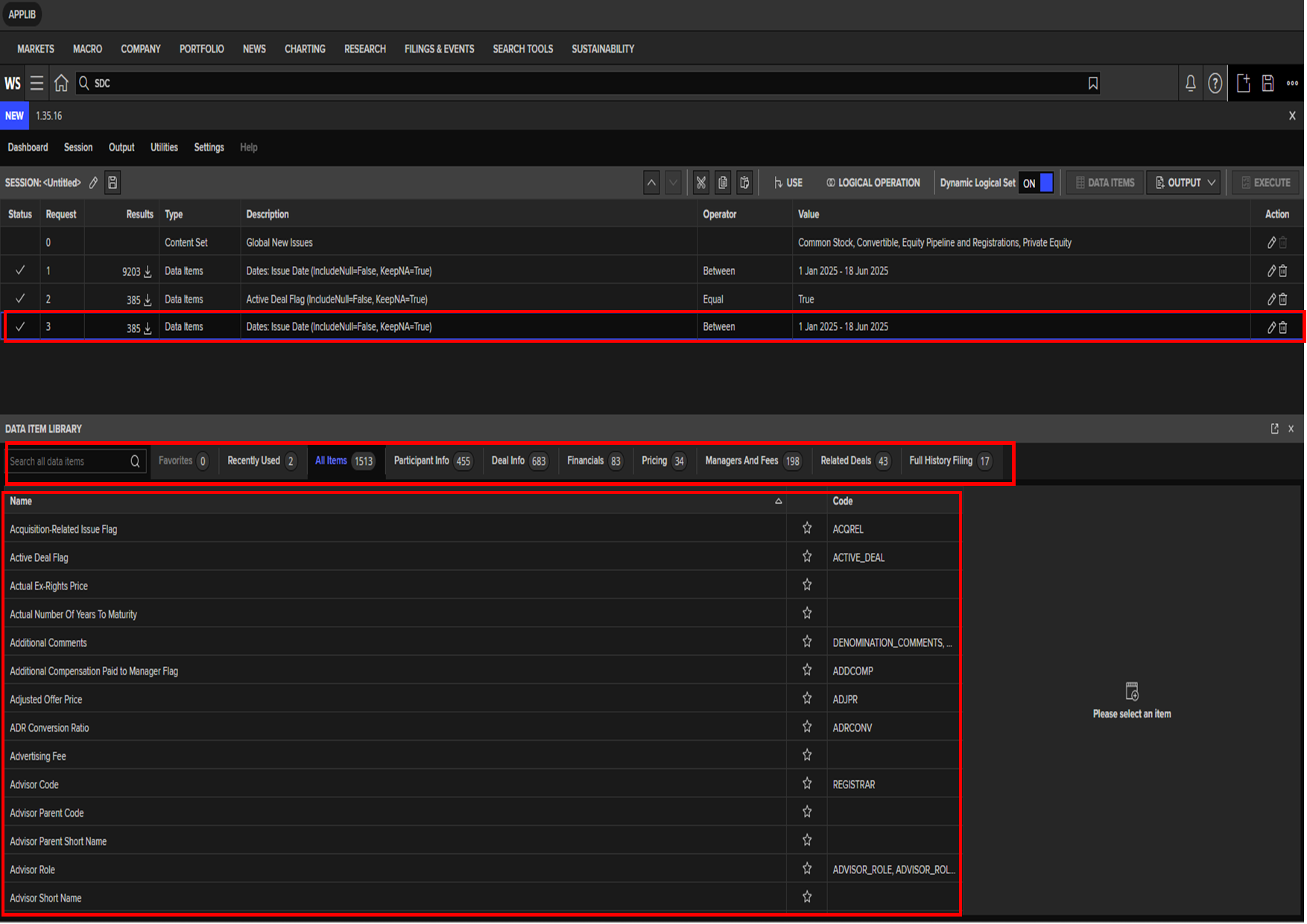
Press Execute in the top menu bar.
The numbers in the Results column tell you how many results there are (for example, there might be 20 IPO deals in the date range in the specific country and industry specified).
NOTE: If you need to modify your screen parameters, in the top results window, click the "pencil"(edit) icon or a Delete icon in the Action column at the right of the selected data item.
Step 4: Create the Report
You will pick the variables you want about the entities in your universe (e.g. the date of the IPO).
Click Output in the upper right session bar, hover over Report and select an option.
For the SDC Standard report, you will choose the SDC template from the templates library.
Select Output > Report > Open SDC Standard.
Select the type of report.
Click Load.
Tip: If you want to see or edit the fields in the standard report, click the "pencil" icon in the Action column on the right. That will open a list of all data items. You can edit the report at this point, e.g., delete unwanted fields, add new data items, select a sort criterion, and add a report title. Once done with the changes, click Update in the top right corner.
Click Execute.
For SDC custom report:
Select Output > Report > New Custom (or, if reusing a saved report, Open Custom).
Select data items for your output report similar to the method used for adding screening parameters. Customise selection in the information pane on the right, where applicable. Click Add after each selection.
Optionally, click the Options icon at the top right to select your sort criteria and add a title to the report.
Click Next when done.
NOTE: You may still edit your data items selections or add additional ones by clicking the Data Items at the top.
Click Execute.
Note that you can select more than one type of output report. For example, you can add a Standard report and a League table.
Step 5: Export Results
With the report open, click the Export Selected button in the left panel. That will open your report in Excel. The second worksheet will contain all your session details.
Vikram Sarabhai Library,
Indian Institute of Management Ahmedabad,
Sargam Marg, Vastrapur,
Ahmedabad, Gujarat - 380015
Email: reference@iima.ac.in
Phone: +91-79-7152-4984/90/79/77

The Venture Intelligence Mergers & Acquisitions Deal Database lists inbound, outbound and domestic deals involving India-based companies. Each deal listed in this database typically includes the name of the target company and acquirer, their locations, the Industry & Sector (of the target), transaction amount and the deal date. Information on advisors to the deal, target company valuation and financials are also included for a significant share of the transactions.
- Access options: User ID-password based access (On-campus | Off-campus), ask the database/reference team for login credentials. Guides:
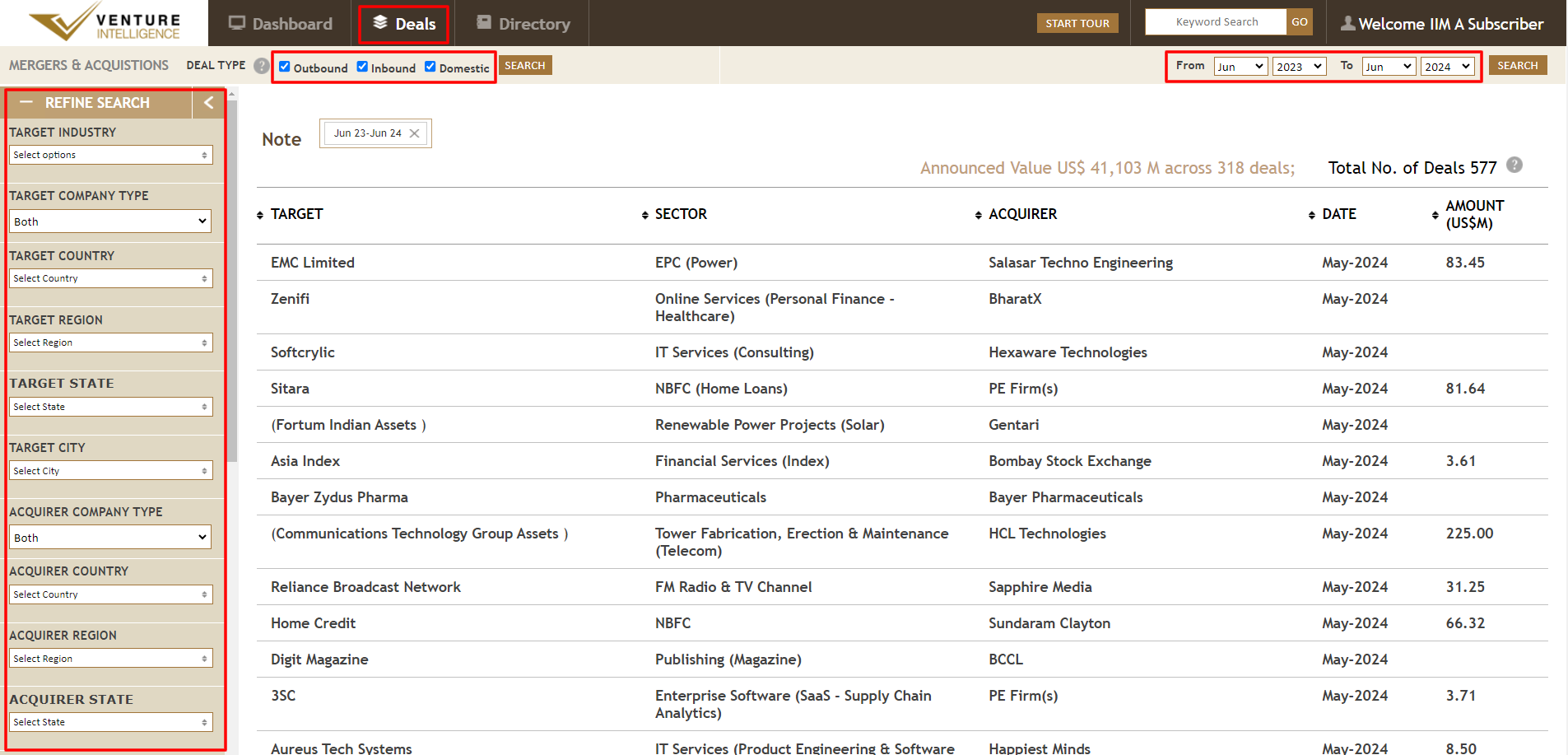
Vikram Sarabhai Library,
Indian Institute of Management Ahmedabad,
Sargam Marg, Vastrapur,
Ahmedabad, Gujarat - 380015
Email: reference@iima.ac.in
Phone: +91-79-7152-4984/90/79/77
Prowess dx is a delivery of the Prowess database that is specially designed for academia.
- Quick and easy downloading of the data in simple text format.
- 51,262 companies covered, including listed companies, unlisted public companies and private companies. All companies listed on the National Stock Exchange and the Bombay Stock Exchange are covered.
- Time-series data since 1990. Annual Reports of companies and data available from India's two largest stock exchanges are the principal sources of this database.
- Includes the profit and loss statement, balance sheet and ratios based on these. There are 3,500 data fields in Prowess dx.
- In the case of listed companies, cash flow statement, quarterly financial statements, share prices, corporate action and daily total returns are included. Financial statements based on consolidated and standalone basis are available.
- Financial statements are standardized. The database does not suffer from any deliberate survival bias. The database is updated continuously.
- Access options: On-campus | Off-campus | One-time registration required | Guide:
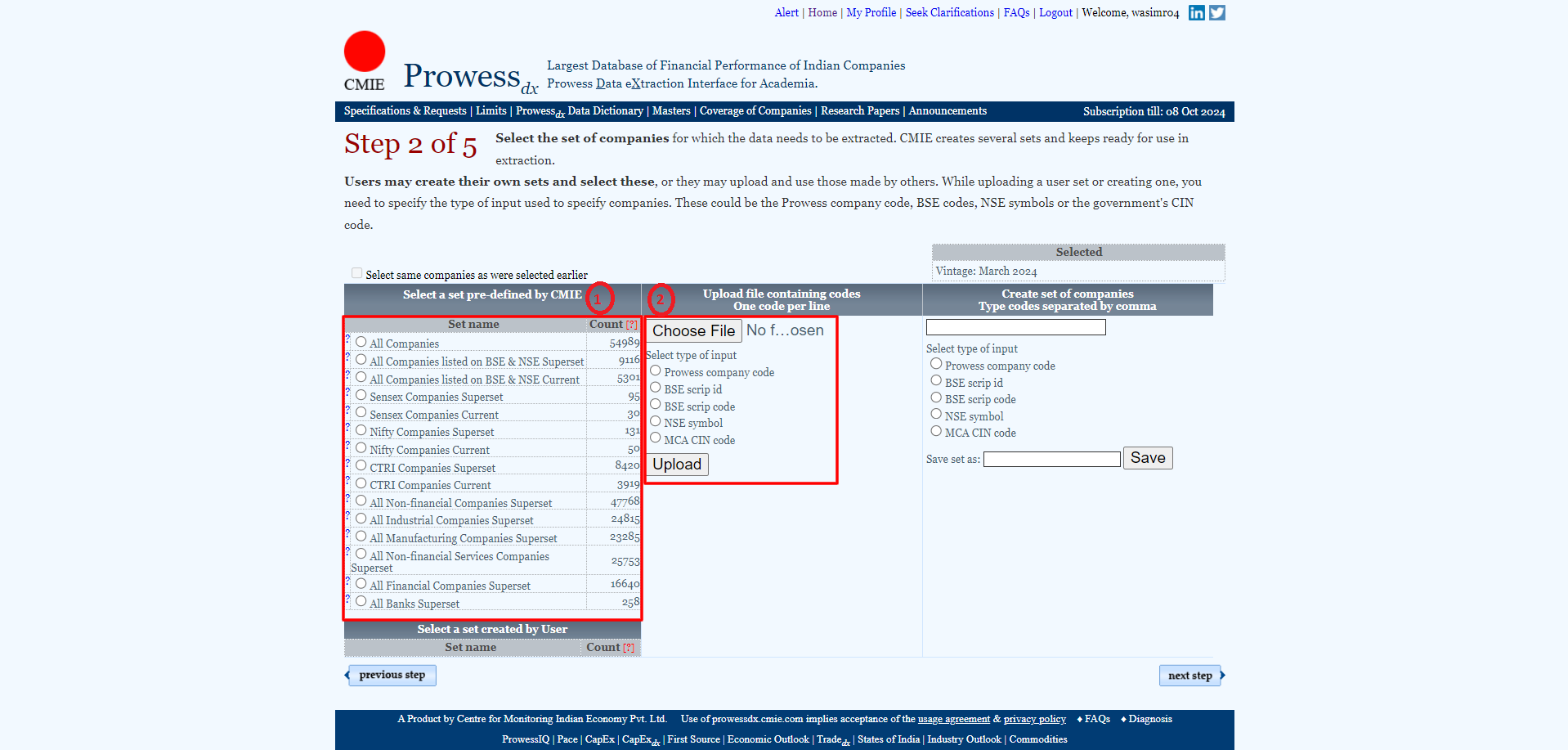
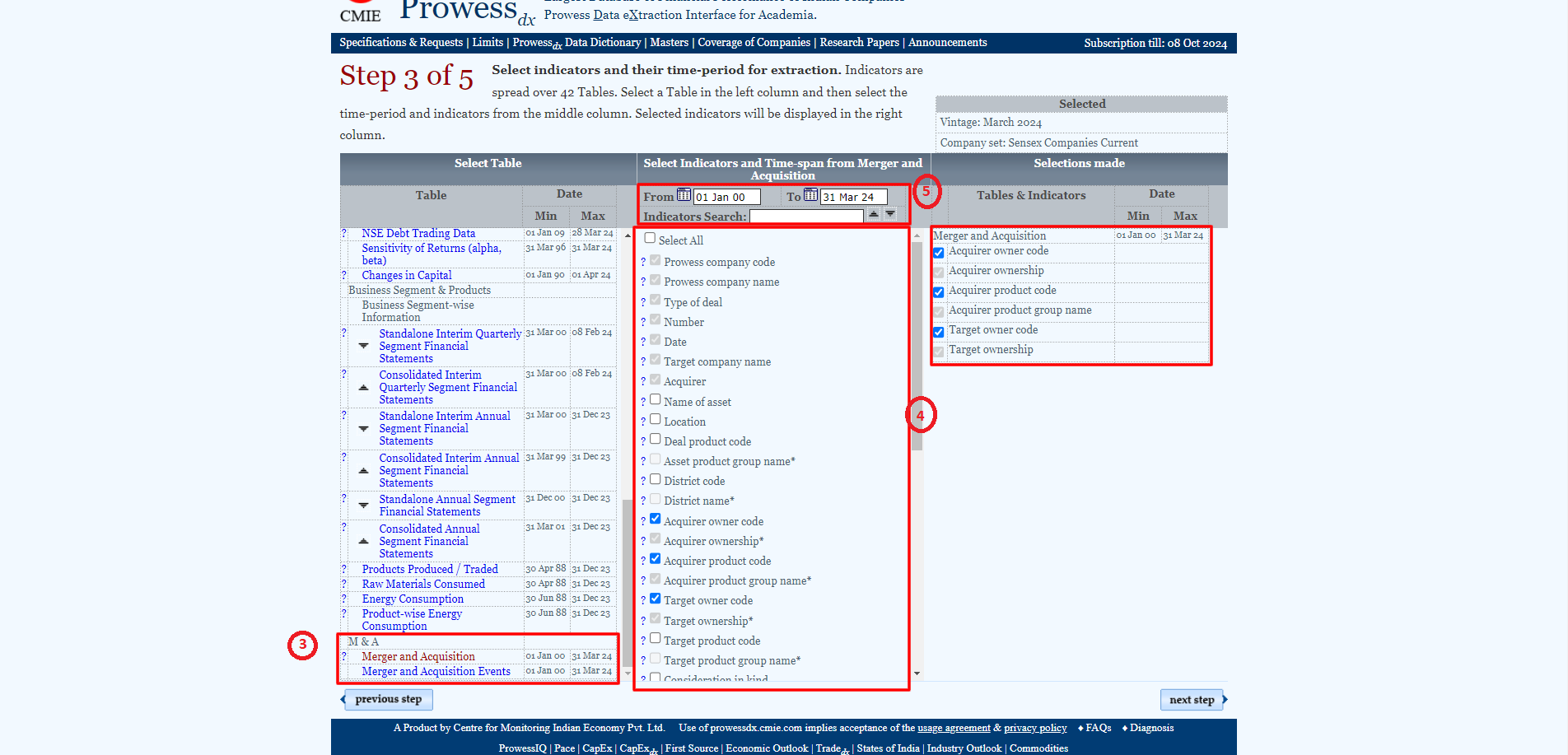
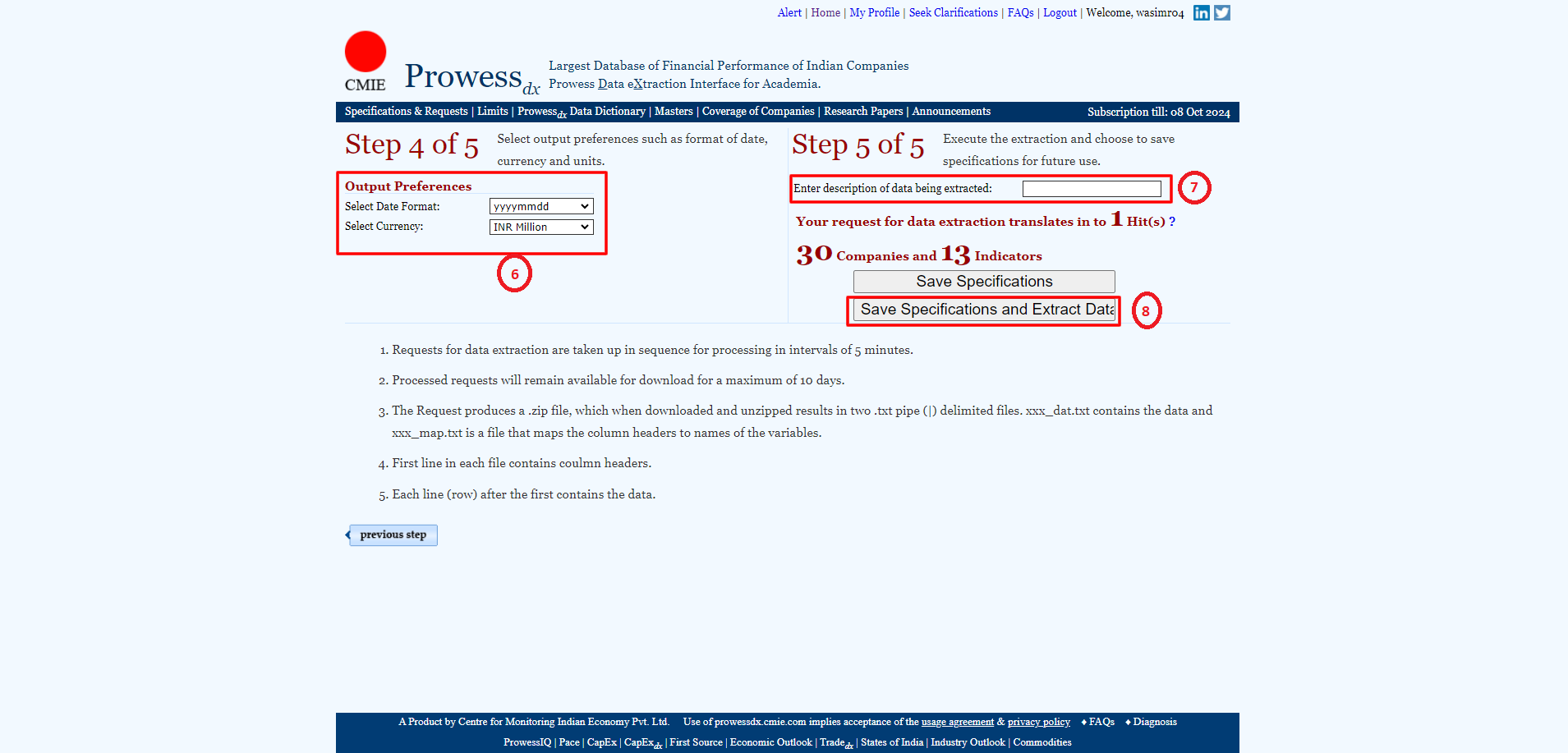
Vikram Sarabhai Library,
Indian Institute of Management Ahmedabad,
Sargam Marg, Vastrapur,
Ahmedabad, Gujarat - 380015
Email: reference@iima.ac.in
Phone: +91-79-7152-4984/90/79/77
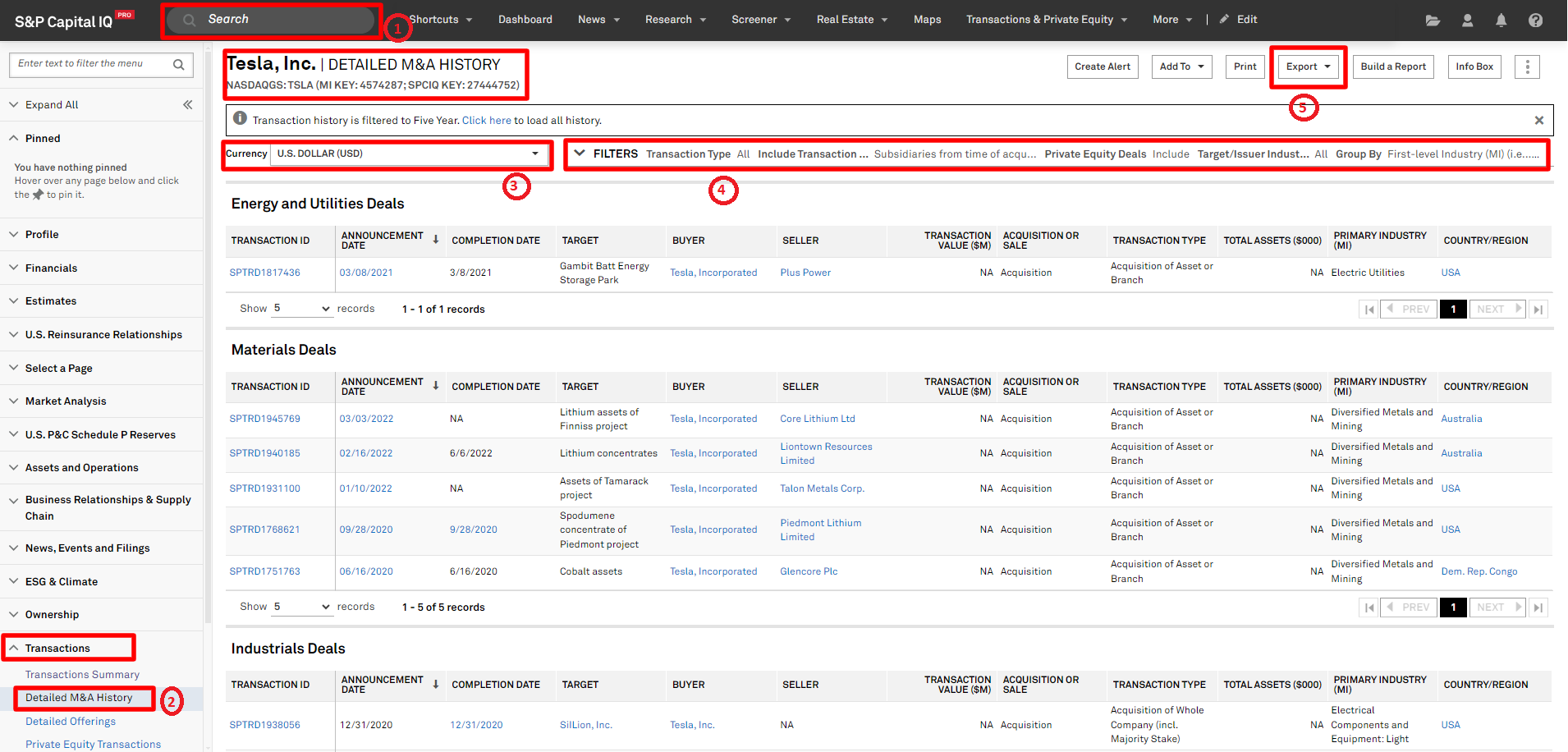
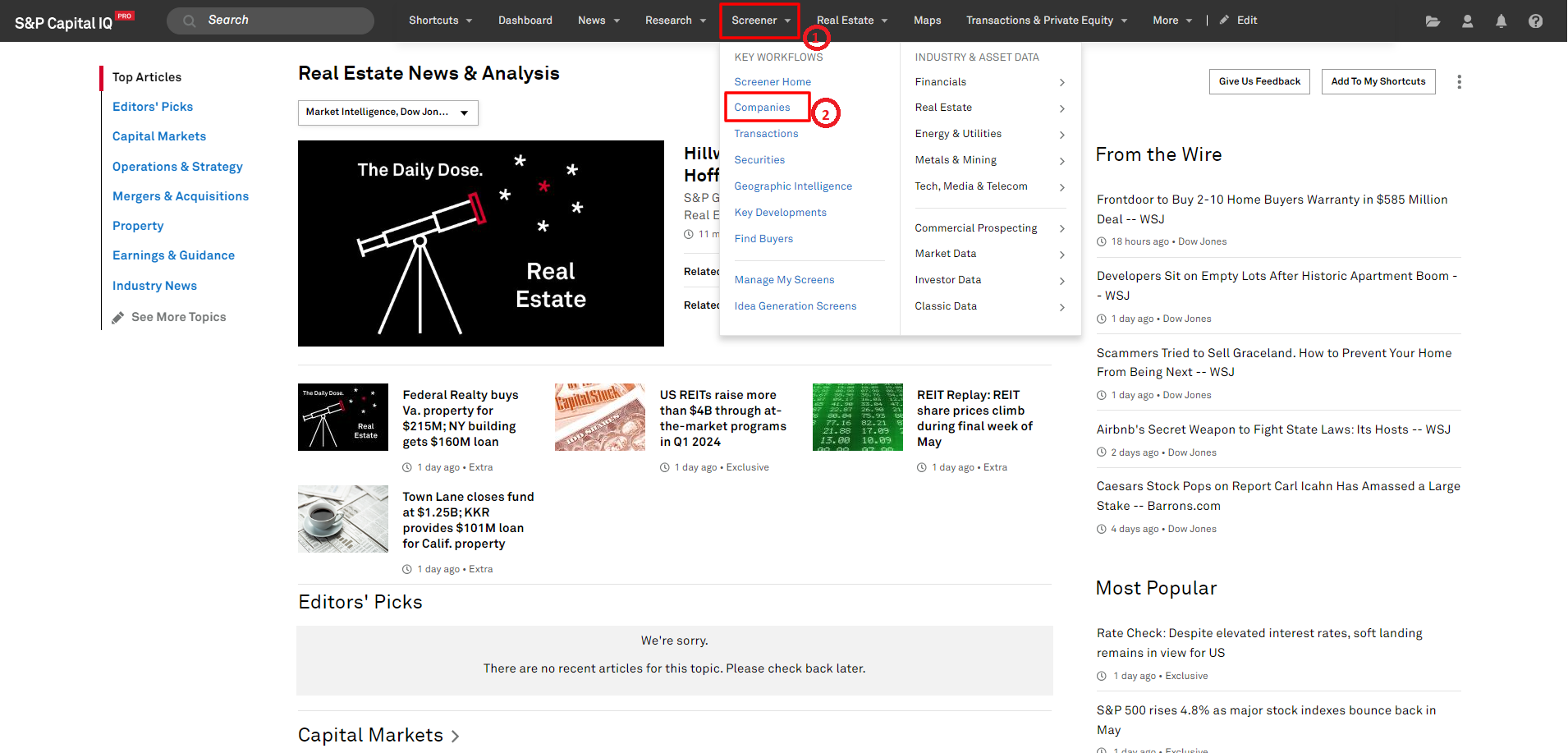
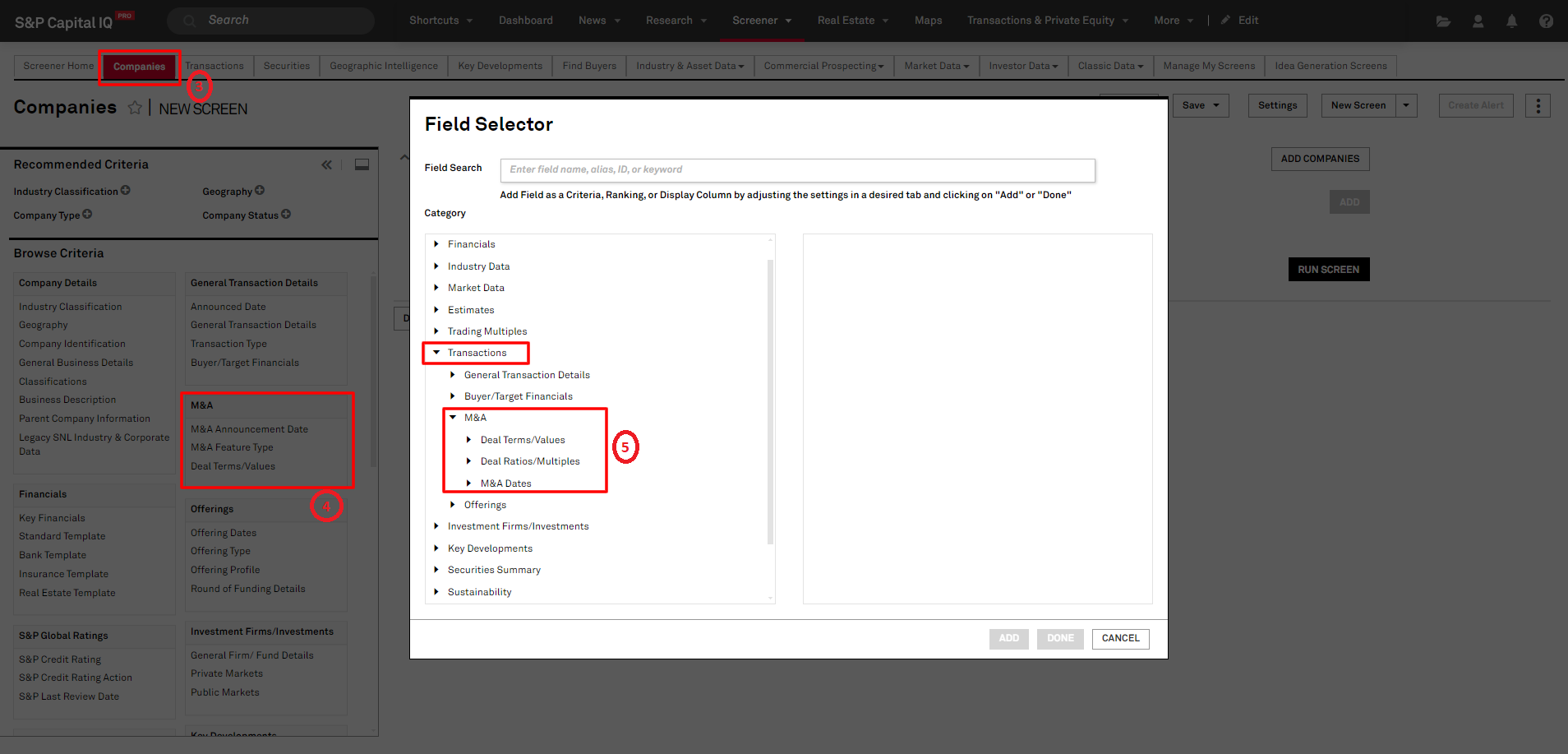
FIG (ex-SNL) provides information on worldwide bank analysis, on an integrated online platform along with Excel. This platform covers 56,000+ listed, non-listed and subsidiary banks (30,000+ active), 58,000+ asset management companies, 11,000+ speciality finance companies, 18000+ investment banks and broker-dealers globally i.e. Americas, Asia- Pacific, Europe, Middle East, and Africa with comprehensive, reliable and timely financial data, including 100-600+ items. All items are available in the form of a heavily vetted banking specific template. Using the Market Intelligence platform, the researcher can identify regulatory red flags and take pre-emptive action. From loan portfolio analysis to credit risk, you can quickly identify key risks and potential problems compared to your peers. Market Intelligence platform also gives you instant access to the data that the researcher needs to evaluate their branch network and make the most of it based on geographic, demographic and financial factors. Real Estate, tracks thousands of real estate properties around the world. The properties section within a company's briefing book gives you detailed information on a company's property portfolio, including property transactions, properties in its development pipeline, top tenants and top markets. Data is sourced from the company press releases, web sites, annual reports and government filings. For more detail please find the attached brochure.
- Access options: On-campus | Off-campus | One-time registration required | Guide:
Vikram Sarabhai Library,
Indian Institute of Management Ahmedabad,
Sargam Marg, Vastrapur,
Ahmedabad, Gujarat - 380015
Email: reference@iima.ac.in
Phone: +91-79-7152-4984/90/79/77
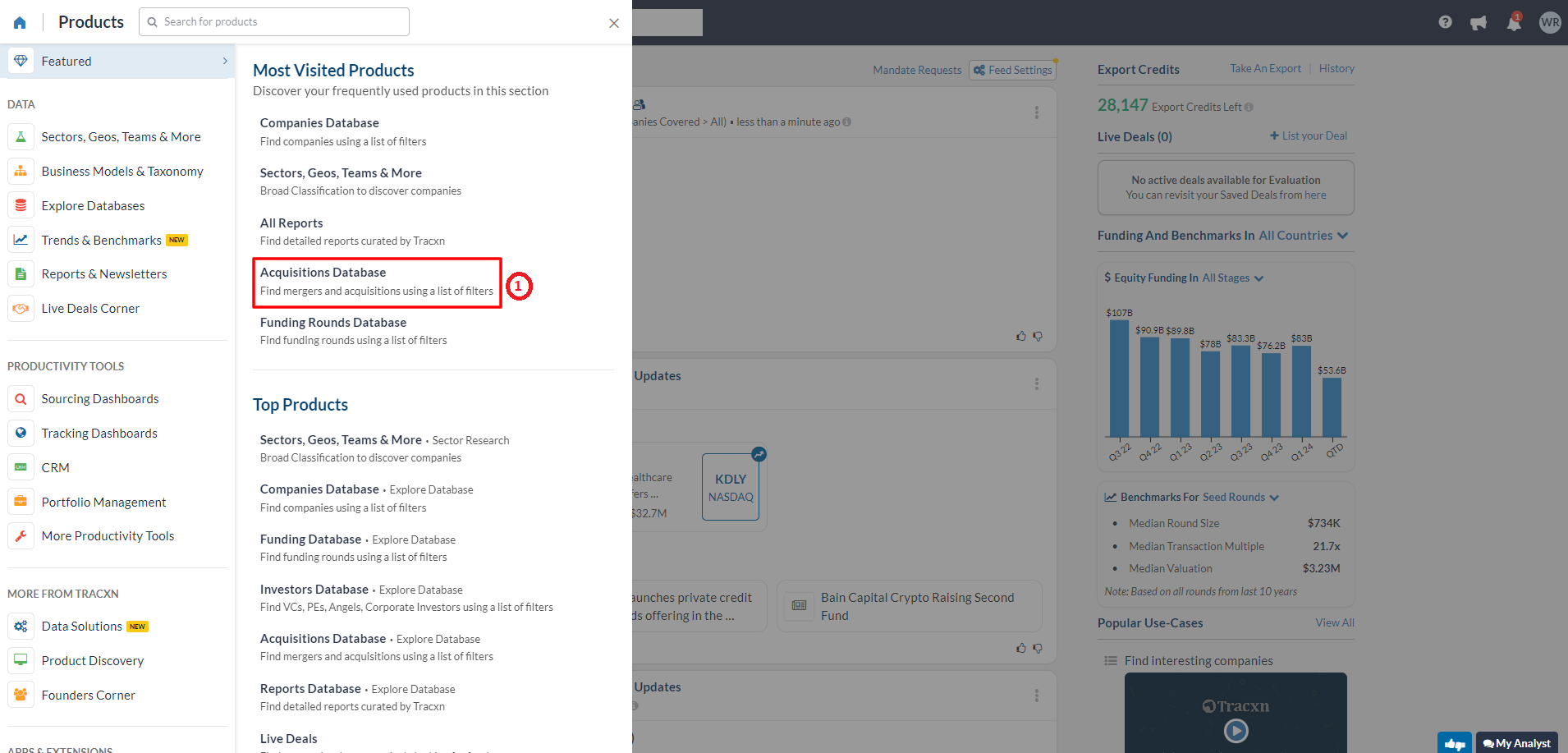
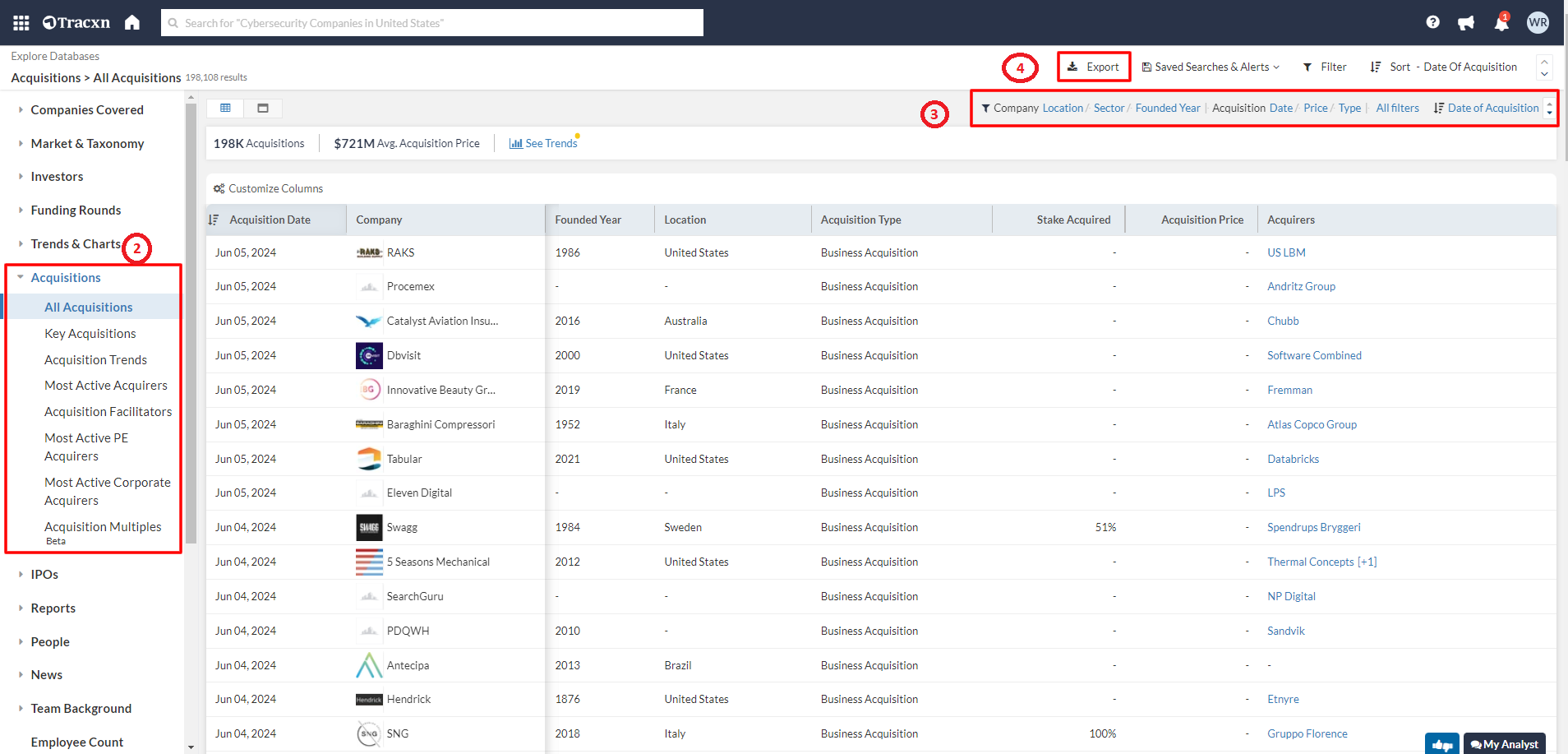
This database is useful for startups and entrepreneurs. Tracxn have the team of Analysts tracking startups globally to help Venture Capital and Corp. Dev. teams scout investment opportunities and diligence deals. Tracxn platform is used for deep-dive sector research, outbound deal discovery and uncovering exciting startups across sectors.
- Access options: On-campus | Off-campus | One-time registration required | Guide:

Vikram Sarabhai Library,
Indian Institute of Management Ahmedabad,
Sargam Marg, Vastrapur,
Ahmedabad, Gujarat - 380015
Email: reference@iima.ac.in
Phone: +91-79-7152-4984/90/79/77